A workspace for notes, plans, and stories.

Notes / Writing desk.mdParagraph
Take a note. Plan a project. Write a novel.

Your words. A hint of pepper.

Two ways to work.

Note mode
Capture ideas and research with images, tables, and checklists.
Manuscript mode
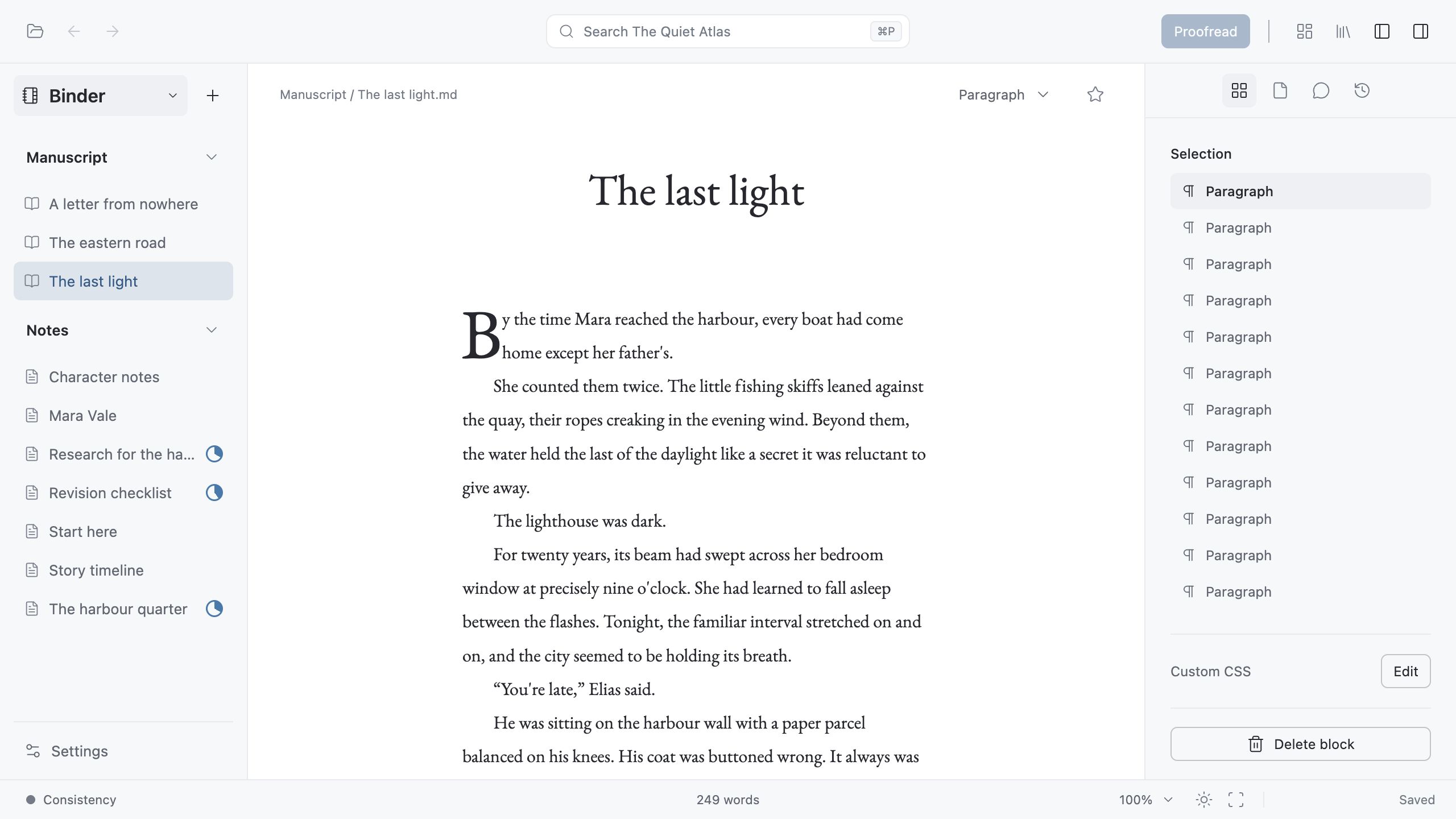
Draft chapters and scenes on book-like pages. Keep your notes in the same Binder.

Your next chapter.

Draft a chapter in manuscript mode. Write it with no distractions. And use AI to help you find plot holes so your story stays consistent.

Make it a note.

Jot down your notes, then use Beautify to make them shine. With Embeds, you can use AI to create interactive timelines and trackers inside a note.

Notes / Characters / Mara Vale.mdSection

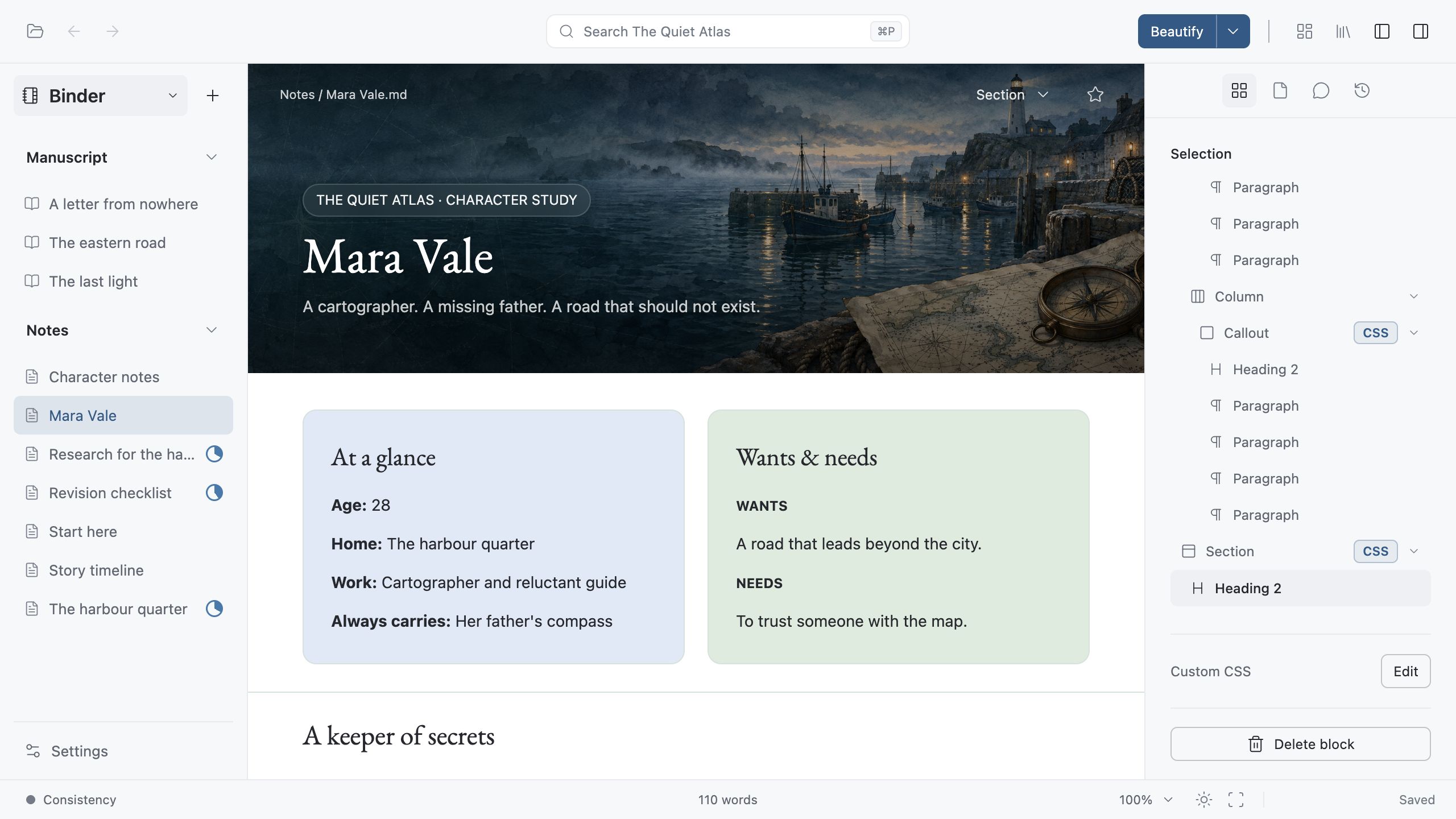
Mara Vale

A cartographer. A missing father. A road that should not exist.

  • Age: 28
  • Home: The harbor quarter
  • Work: Cartographer & reluctant guide
  • Always carries: Her father’s compass

Wants: A road that leads beyond the city.

Needs: To trust someone with the map.
Dashboard

Pick up where you left off.

Use Dashboard to see your project at a glance as well as where you left off.

Note mode: an illustrated character sheet with a harbor cover, balanced information cards, and a nested block Inspector.
Manuscript mode: a chapter in a book-like reading layout, in the same workspace.
Drag to explore

Your files, on your computer

Work locally.

Pen & Pepper is built for local use. Your project is a simple folder of Markdown files, with your images and settings alongside them.

Optional AI

Use AI for a specific task.

Try it when you want to proofread a chapter, check for contradictions, or lay out a note. Connect your own OpenAI API key and pay OpenAI for what you use.

Common questions.

Will it work on Mac or Windows?

The beta is available for Mac and Windows.

Where are my notes and drafts stored?

In a project folder on your computer. Notes and drafts are saved as Markdown, with images and project settings alongside them. You can copy the folder from your file manager.

Do I need AI to use it?

No. You can take notes, organize projects, and write a novel without AI. If you connect an OpenAI API key, you can use AI to style a note, check grammar, or flag possible contradictions. You choose when to run those tools and which suggestions to keep.

What happens after the free beta?

Editing is free while the beta is running. Pricing for the paid version is still undecided. When beta editing ends, you’ll still be able to read and export your work.

Can I report a bug or suggest something?

Yes. Use the feedback form below, or Report a Bug in the app when the beta is available. You won't need a GitHub account.

Start with a note.

Keep it on its own or build it into a project, a plan, or a novel.